

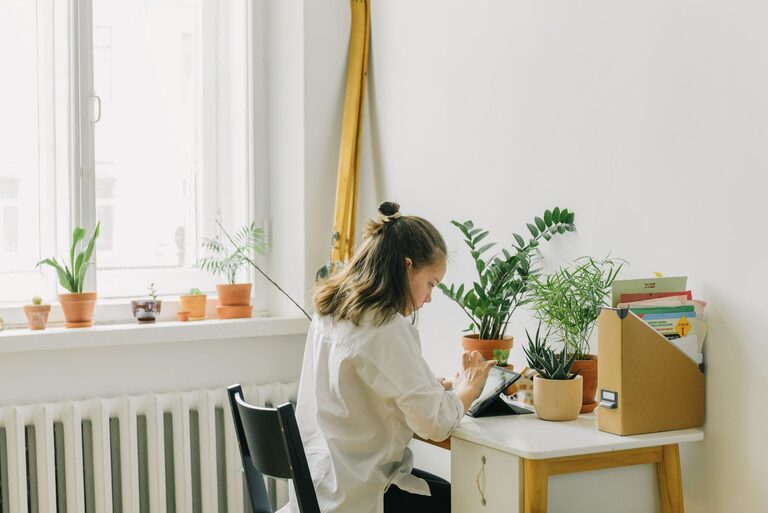
Creating a productive home office environment is essential for anyone working remotely or managing tasks from home. A well-designed workspace can improve focus, reduce distractions, and enhance your overall work experience. Whether you have a dedicated room or a small corner, these tips will help you build an efficient and comfortable home office that supports your work goals.
Choose the Right Space
Find a Quiet, Low-Traffic Area
Selecting a location away from noise and interruptions helps you concentrate. If possible, pick a room or corner that is separate from common living areas. This separation can mentally distinguish work time from leisure.
Consider Natural Light
Natural light has been shown to improve mood and productivity. Position your desk near a window to take advantage of daylight. If natural light is limited, use soft, full-spectrum lighting to mimic daylight and reduce eye strain.
Invest in Comfortable Furniture
Ergonomic Chair and Desk
Comfort matters, especially when sitting for long periods. An ergonomic chair with adjustable height and lumbar support can prevent back pain. Choose a desk that fits your space and allows for comfortable legroom.
Adjust Your Monitor and Keyboard
Place your monitor at eye level to avoid neck strain. Keep your keyboard and mouse at a height that allows your wrists to stay straight and relaxed.
Organize Your Workspace
Declutter Regularly
A clean workspace reduces stress and improves focus. Keep only essential items on your desk and store extras in drawers or shelves. Make a habit of tidying up at the end of each day.
Use Storage Solutions
Use organizers, file holders, or shelves to keep papers and supplies neat. Label containers for easy access and to maintain order over time.
Minimize Distractions
Manage Noise
If you cannot avoid background noise, consider using noise-canceling headphones or playing soft instrumental music. These can help you maintain concentration.
Limit Digital Interruptions
Turn off non-essential notifications on your computer and phone during work hours. Use apps or settings that block distracting websites if needed.
Personalize Your Space
Add Inspiring Elements
Include a few personal touches, like photos, plants, or art pieces, to make your workspace inviting. Plants can also improve air quality and add a calming touch.
Choose Soothing Colors
Colors impact mood; cool tones like blues and greens are known to promote calmness and focus. Pick colors that help you feel relaxed but alert.
Establish a Routine
Set Clear Work Hours
Having specific start and end times helps create structure. Communicate these hours with family or housemates to minimize interruptions.
Take Regular Breaks
Follow techniques like the Pomodoro method—work for 25 minutes, then take a 5-minute break. This helps maintain energy and prevent burnout.
Optimize Technology
Reliable Internet and Equipment
Ensure your internet connection is stable and fast enough for your work needs. Use a quality keyboard, mouse, and headset that suit your comfort.
Keep Software Updated
Regularly update your computer and applications to keep your setup running smoothly and securely.
Prioritize Healthy Habits
Maintain Good Posture
Check your posture frequently to avoid discomfort. Stretch every hour to relieve muscle tension.
Stay Hydrated and Snack Wisely
Keep a water bottle nearby and choose healthy snacks to sustain energy without spikes or crashes.
—
Building a productive home office environment is about balancing comfort, organization, and minimizing distractions. By following these tips, you can create a workspace where you feel motivated and ready to tackle your workday efficiently.