

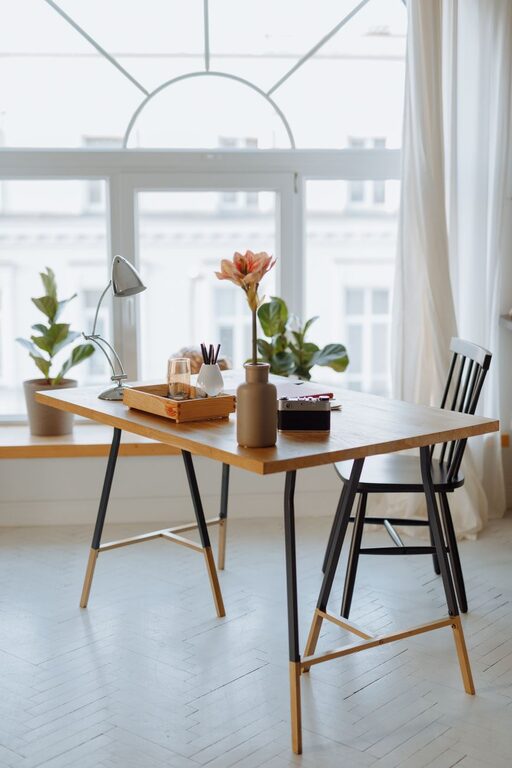
Creating a cozy and organized home workspace is essential for staying productive and comfortable throughout your workday. Whether you have a dedicated room or just a small corner, the right setup can enhance your focus and make working from home a pleasant experience. Here are some practical tips to help you design a workspace that feels inviting and keeps clutter at bay.
Choose the Right Location
Finding the ideal spot for your workspace is the first step. Consider these factors:
– Natural Light: Position your desk near a window if possible. Natural light boosts mood and reduces eye strain.
– Low Traffic Areas: Select a quieter corner to minimize distractions.
– Space for Essentials: Ensure there’s enough room for your computer, supplies, and any other tools you need.
Invest in Comfortable Furniture
Your furniture plays a big role in how cozy and organized your workspace feels. Focus on:
– Ergonomic Chair: A chair with good lumbar support helps maintain proper posture.
– Adjustable Desk: If space allows, consider a desk with adjustable height for sitting or standing.
– Storage Solutions: Desks with built-in drawers or shelves can help keep supplies within reach.
Organize Your Supplies Efficiently
Clutter can make it hard to focus, but organization helps keep your workspace tidy and functional.
Use Storage Containers and Organizers
– Drawer Dividers: Keep small items like pens, paper clips, and sticky notes sorted.
– Desktop Organizers: Trays, file holders, or pen cups make frequently used items accessible.
– Shelving Units: Add shelves for books, binders, or decorative items.
Digitize When Possible
Reduce piles of paper by scanning important documents and storing them digitally. This saves space and makes it easy to find what you need.
Add Personal Touches for Coziness
Making your workspace welcoming can improve your mood and productivity.
– Soft Lighting: Use a desk lamp or string lights for warm, adjustable lighting.
– Plants: Small indoor plants add color and improve air quality.
– Decor: Include a few personal items like photos, artwork, or inspirational quotes.
– Comfort Items: A cozy throw blanket or cushion can make your space feel more inviting.
Manage Cables and Electronics
Tidy cables prevent a messy look and make cleaning easier.
– Cable Clips or Sleeves: Bundle and secure cords to avoid tangles.
– Wireless Devices: Use wireless keyboards, mice, or headphones to reduce cords.
– Charging Station: Dedicate a spot to keep chargers organized.
Establish a Cleaning Routine
Regular maintenance keeps your workspace neat and cozy.
– Daily Tidying: Spend a few minutes putting things back in place at the end of each day.
– Weekly Deep Clean: Dust surfaces, vacuum, and clean electronic screens once a week.
– Declutter Regularly: Reassess your items monthly and remove what you no longer need.
Optimize for Productivity
Creating an environment that supports focus helps you get more done.
– Set Boundaries: Use room dividers or curtains if your workspace is open to other living areas.
– Noise Control: Noise-canceling headphones or white noise machines can reduce distractions.
– Task Zones: Designate areas for different activities, like a space for meetings and another for focused work.
Choose Soothing Colors and Textures
The colors and textures in your workspace can influence your mood.
– Soft Neutrals: Light shades like beige, gray, or soft pastels create a calm atmosphere.
– Warm Accents: Add warmth with wooden furniture or cozy textiles like wool rugs.
– Avoid Overstimulation: Keep patterns and bright colors minimal to maintain focus.
Final Thoughts
Your home workspace should be a blend of comfort and efficiency. By thoughtfully choosing your location, organizing your supplies, adding personal touches, and maintaining cleanliness, you can create a space that supports your best work. Remember, a cozy and organized workspace isn’t just about aesthetics—it’s about making your everyday work experience smoother and more enjoyable. Start small, and adjust your setup over time to find what works best for you.